

Inventory Guard Explained
Inventory Guard is an optimization system that automatically pauses or enables advertising based on product inventory conditions and defined performance rules.
Its purpose is to prevent wasteful ad spend and operational risk when products are not available (or are likely to become unavailable) while still allowing advertising to resume automatically when conditions improve.
Inventory Guard is configured inside the Optimizations area and works through rule-based automation.
What Inventory Guard does
Inventory Guard supports automated actions such as:
- Pausing ads when inventory is too low or when performance indicates advertising should stop.
- Enabling ads when inventory recovers or when performance conditions indicate it is safe to advertise again.
This prevents situations where campaigns continue spending even though products cannot be fulfilled or should not be promoted.
Inventory-aware pausing options
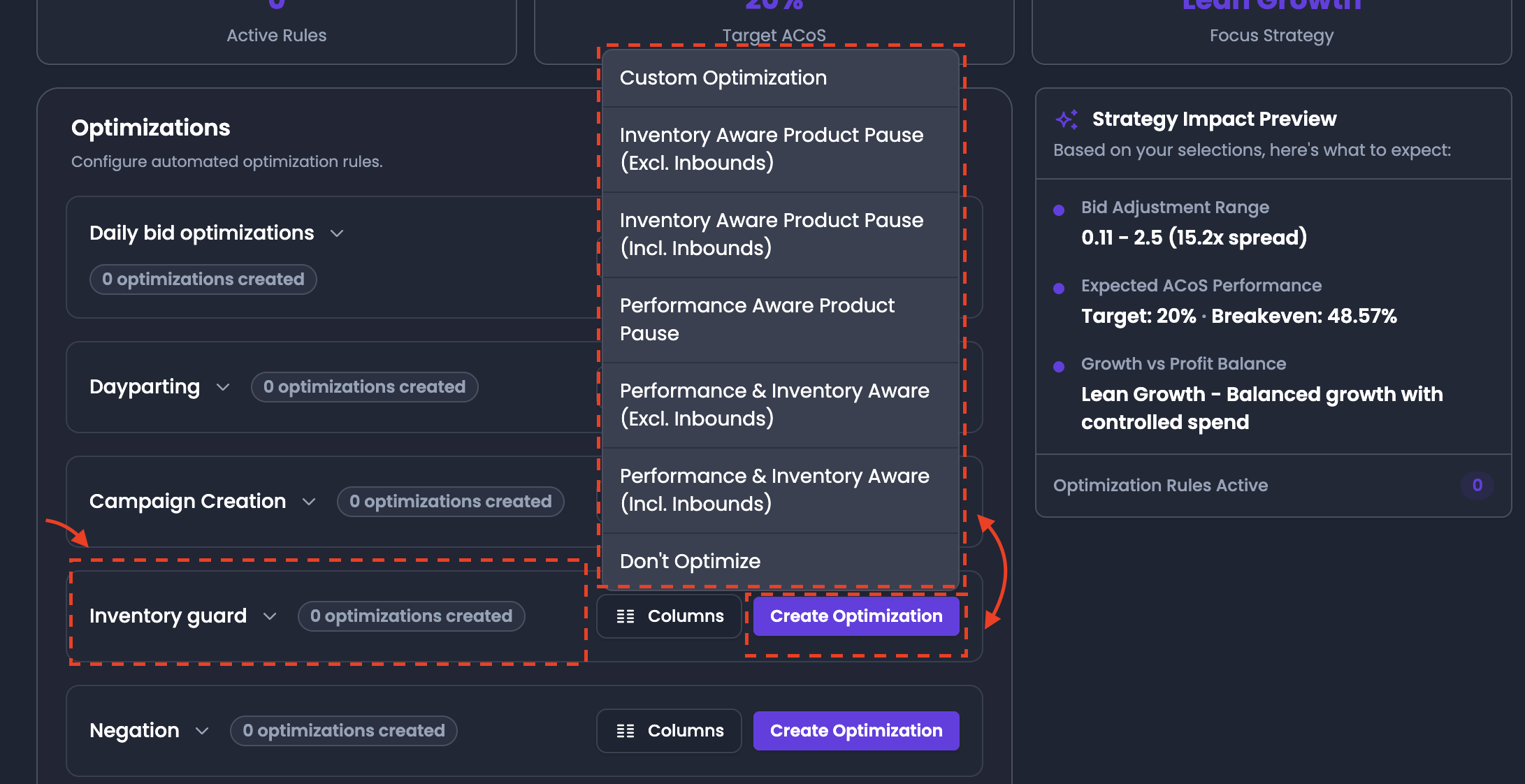
Inventory Guard includes built-in logic options that differ based on whether inbound stock is considered.
Inventory Aware Product Pause (Excluding Inbound)
This option evaluates only available stock and ignores inbound units.
Inbound inventory refers to units that have been shipped to Amazon but are still in transit or not yet checked into fulfillment. Customers cannot purchase these units until Amazon has processed them.
When Excluding Inbound is selected:
- ads may pause even if inbound units exist
- because those units are not yet available to customers
This option is stricter and is used to avoid advertising when products are effectively out of stock from a customer perspective.
Inventory Aware Product Pause (Including Inbound)
This option evaluates inventory while counting inbound units as part of availability.
When Including Inbound is selected:
- inbound units are considered during inventory checks
- ads are less likely to pause if inventory is in transit and expected to become available soon
This option is used when you want to avoid unnecessary pauses during restocking periods.
Performance-aware pausing options
Inventory Guard can also pause or enable advertising based on product performance outcomes, not only inventory.
Examples of performance-based protection include scenarios where a product is consuming spend but producing no results over a defined time period.
Combined inventory + performance logic
Inventory Guard can combine inventory and performance signals in one optimization approach. This is useful when advertisers want both:
- protection against low stock
- protection against inefficient advertising behavior
Create your own Inventory Guard rule
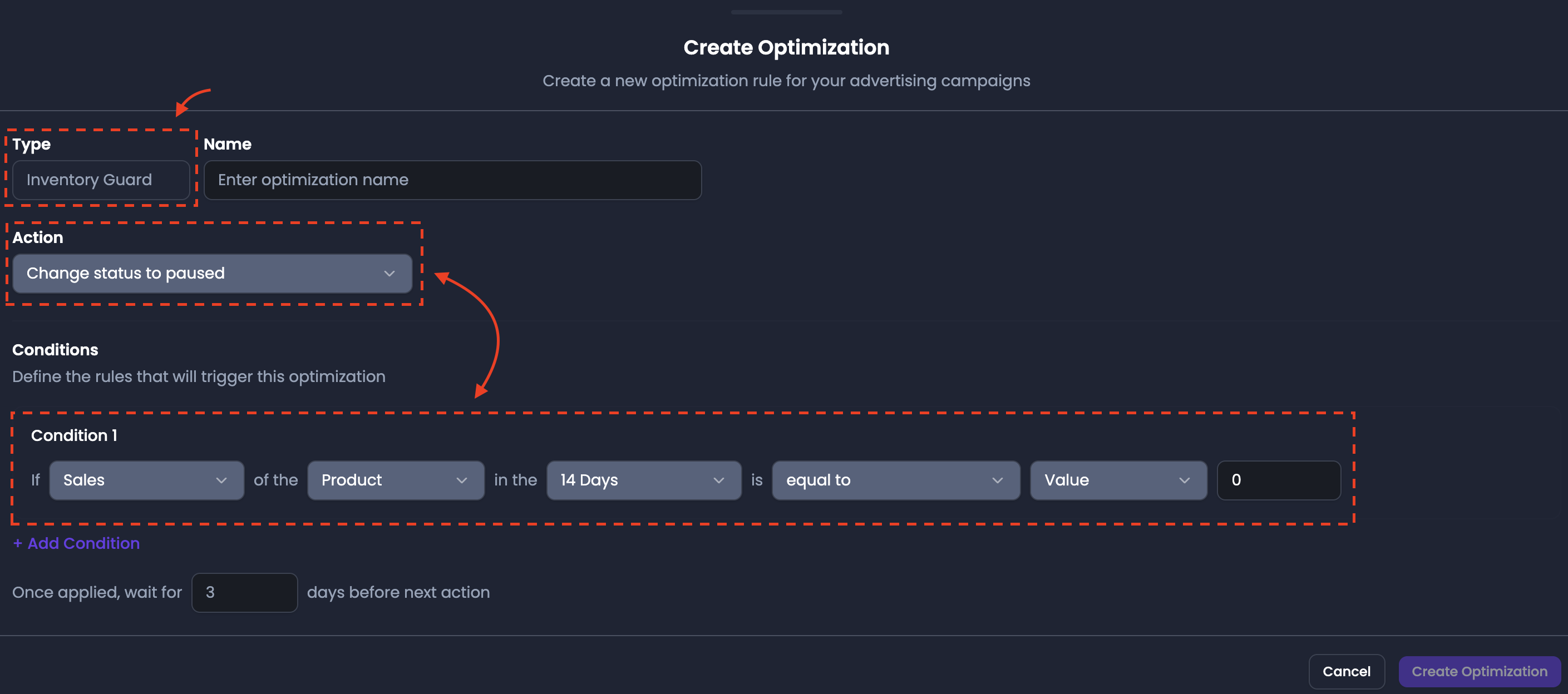
Inventory Guard supports custom automation rules using a structured rule builder.
When creating a custom rule, you define:
- Rule name
- Action
- Change status to PAUSED
- Change status to ENABLED
- Conditions
- Optional additional conditions using Add Condition
- Wait for X days execution timing
- Save
Example custom rule:
- IF Sales of product (last 14 days) = 0
- THEN Change status to PAUSED
Custom rules allow teams to define inventory protection logic that matches their product and fulfillment workflow.
Why Inventory Guard matters
Inventory Guard prevents two major operational problems:
- Spending on products that customers can’t purchase
- Continuing to advertise products that are performing poorly or should be temporarily deprioritized