
Creating Saved Ad-Reporting Presets for Daily Monitoring
Generating summary...
This response is generated by AI. AI can make mistakes.
What Is Creating Saved Ad-Reporting Presets for Daily Monitoring?
Presets let you save a repeatable metric selection so you can monitor ads daily without reconfiguring the dashboard each time.
The Logic
A) Open the preset workflow
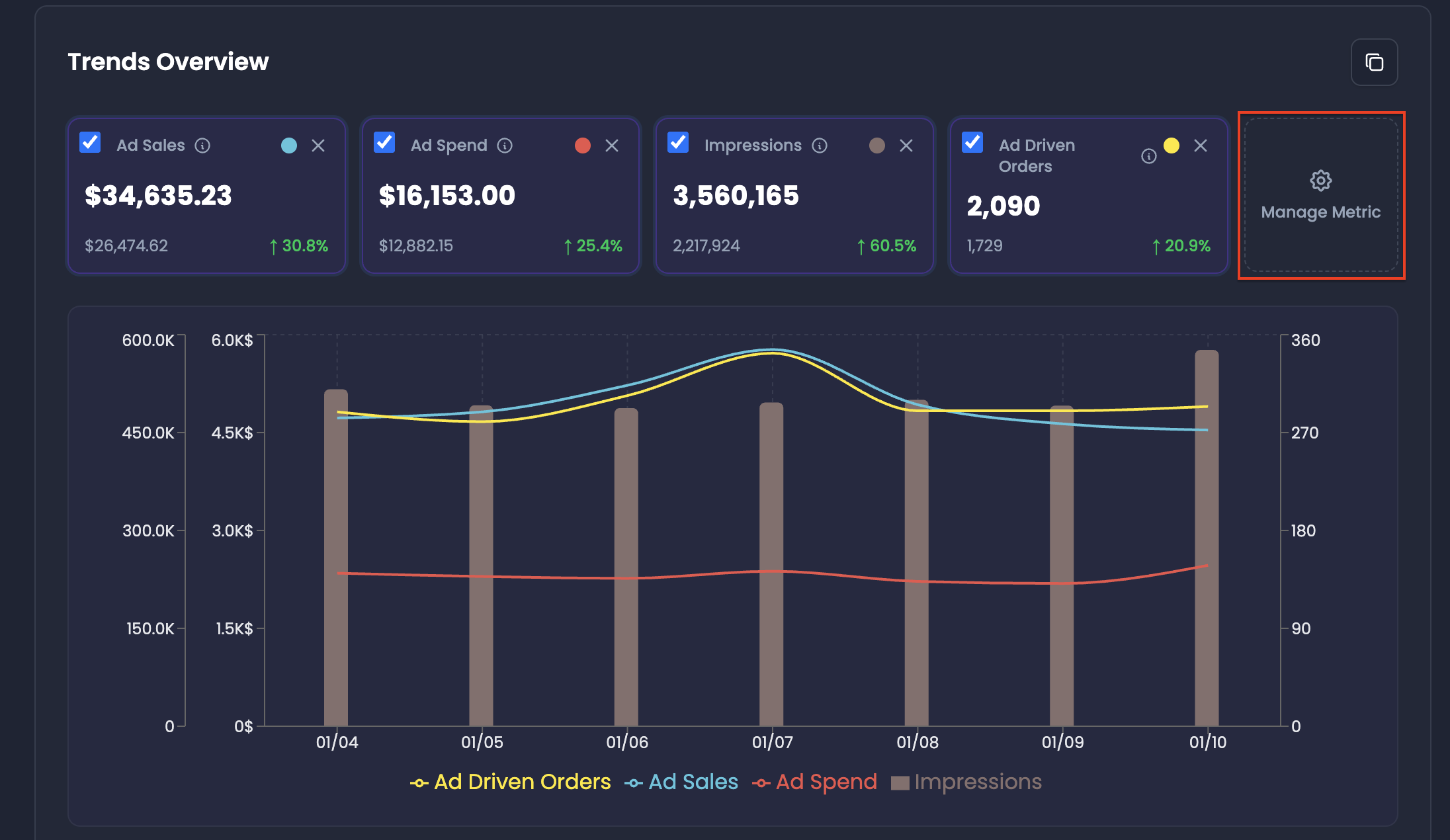
- In Trends Overview, click Manage Metric
B) Build your metric selection
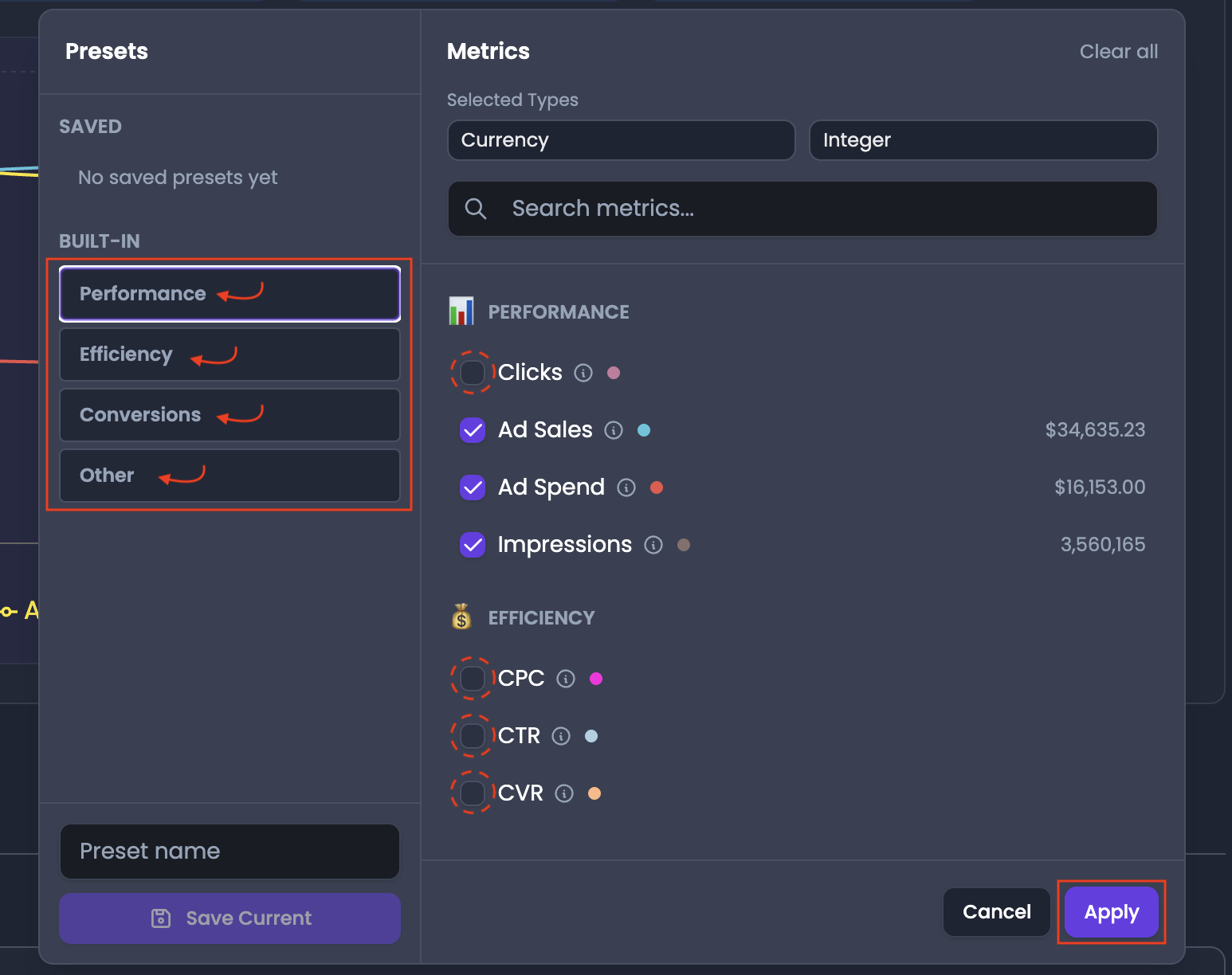
- Select metrics from:
- Performance
- Efficiency
- Conversions
- Others
- Click a built-in to automatically select relevant metrics
- Add additional metrics if needed
C) Save the preset
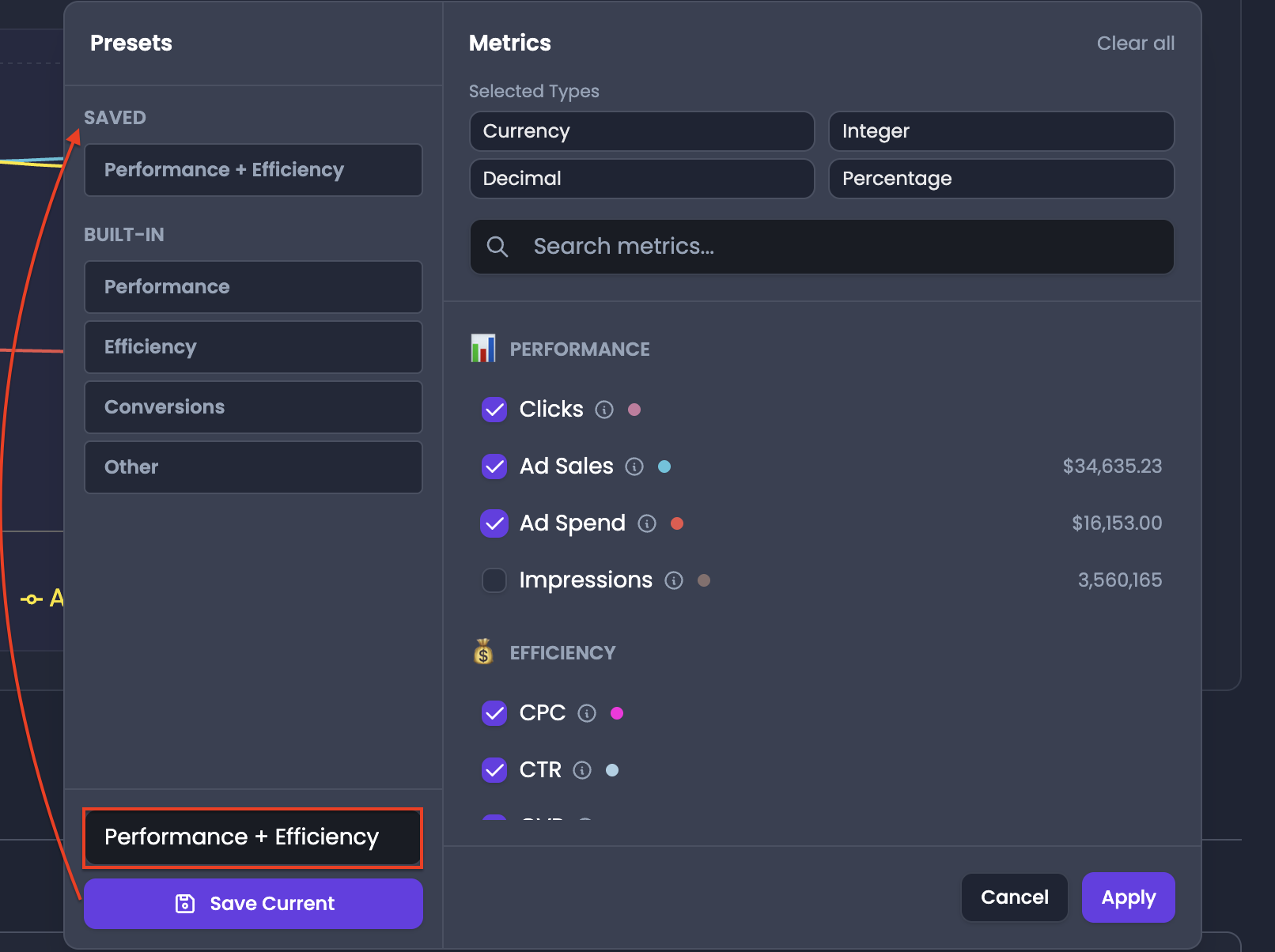
- If you want to create a new preset for your selected metrics enter a name in Preset Name
- Click Save Current
- After saving, the preset is available for future use
D) Apply the preset to update the dashboard
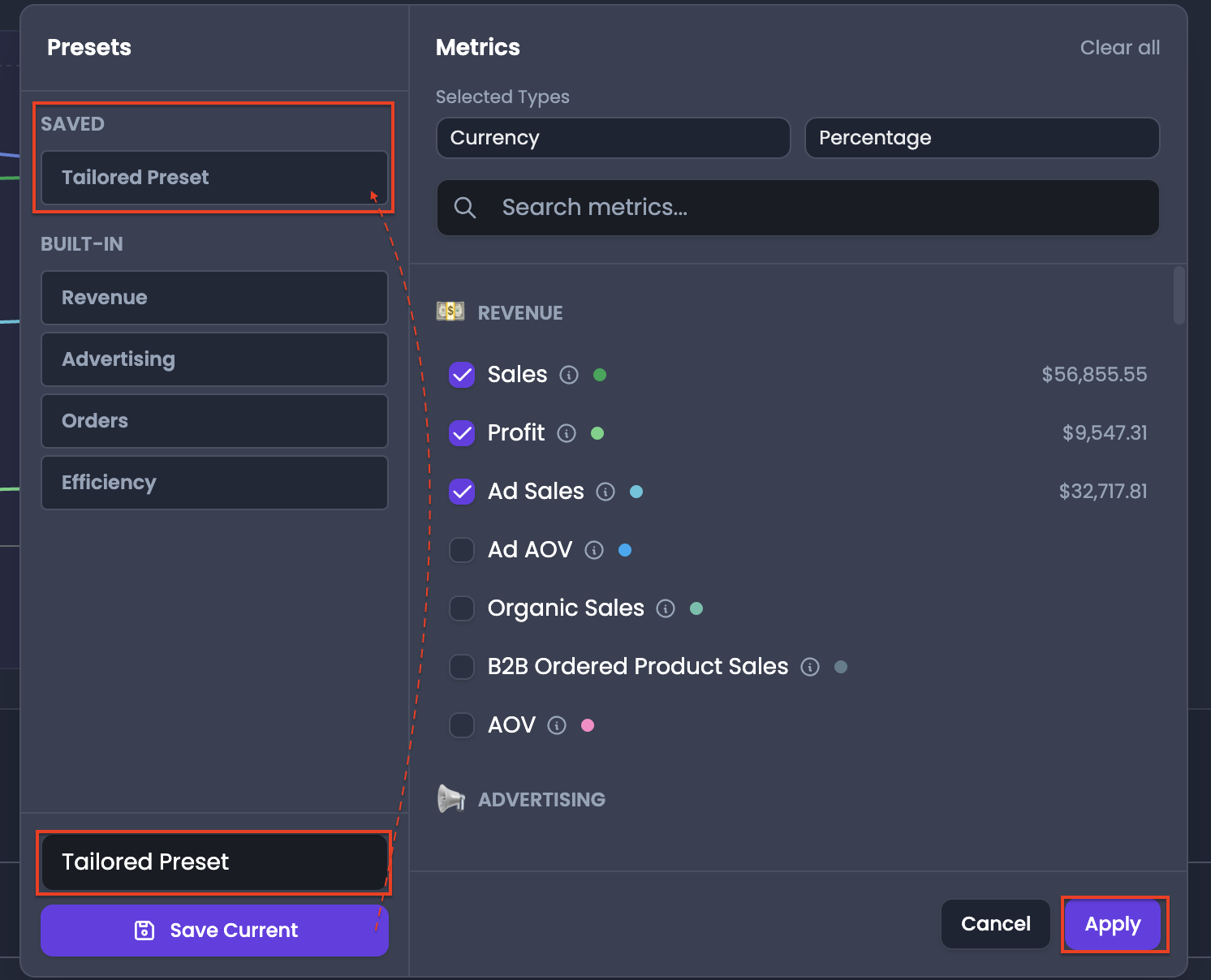
- Select the preset inside the Manage Metrics window
- Click Apply so Trends Overview refreshes to the preset configuration
Key Value Pillars
- Faster daily monitoring
- Consistent reporting across sessions
- Easier team alignment if multiple users use the same preset
- Reduced setup errors when monitoring on a schedule
Pro-Insight
⚠️ Name presets based on how you use them, not based on the metric list. Examples include Daily Efficiency Monitor and Weekly Strategy Review.