
Advertising Metric Definitions: Performance vs. Efficiency
Generating summary...
This response is generated by AI. AI can make mistakes.
What Is Advertising Metric Definitions: Performance vs. Efficiency?
Advertising Overview organizes metrics into categories to help users select the right signals for the analysis they want to do. These categories appear inside Manage Metric and determine what you can display in Trends Overview.
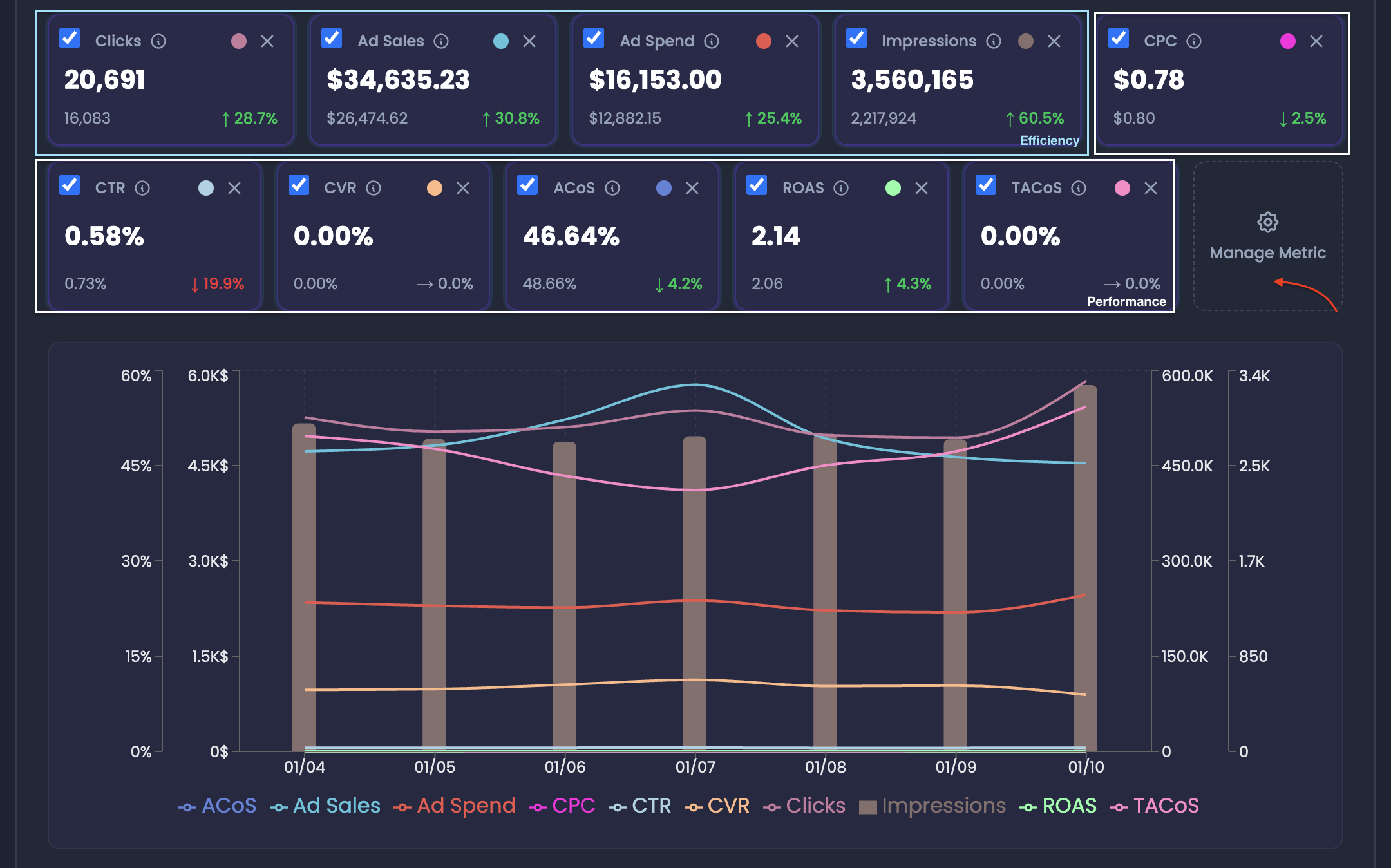
The Logic
A) Where the categories appear
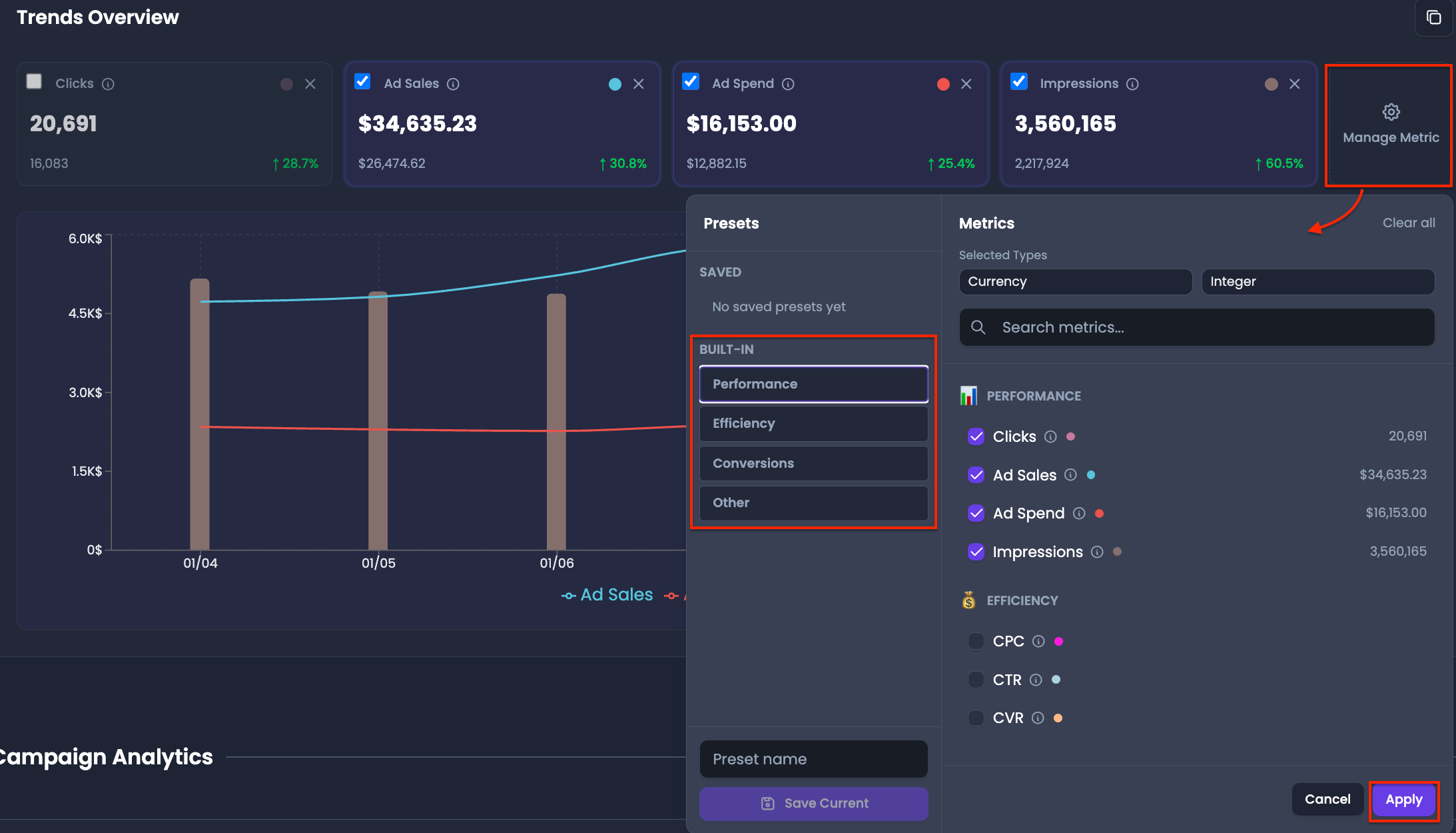
- Click Manage Metric in Trends Overview
- In the metrics window, metrics are organized into:
- Performance
- Efficiency
- Conversions
- Others
B) What the categories control
Your selection controls what appears in:
- Metric cards in Advertising Overview
- Graph View plots
- Copied metric data (via the copy control)
C) How to use them for efficiency tracking
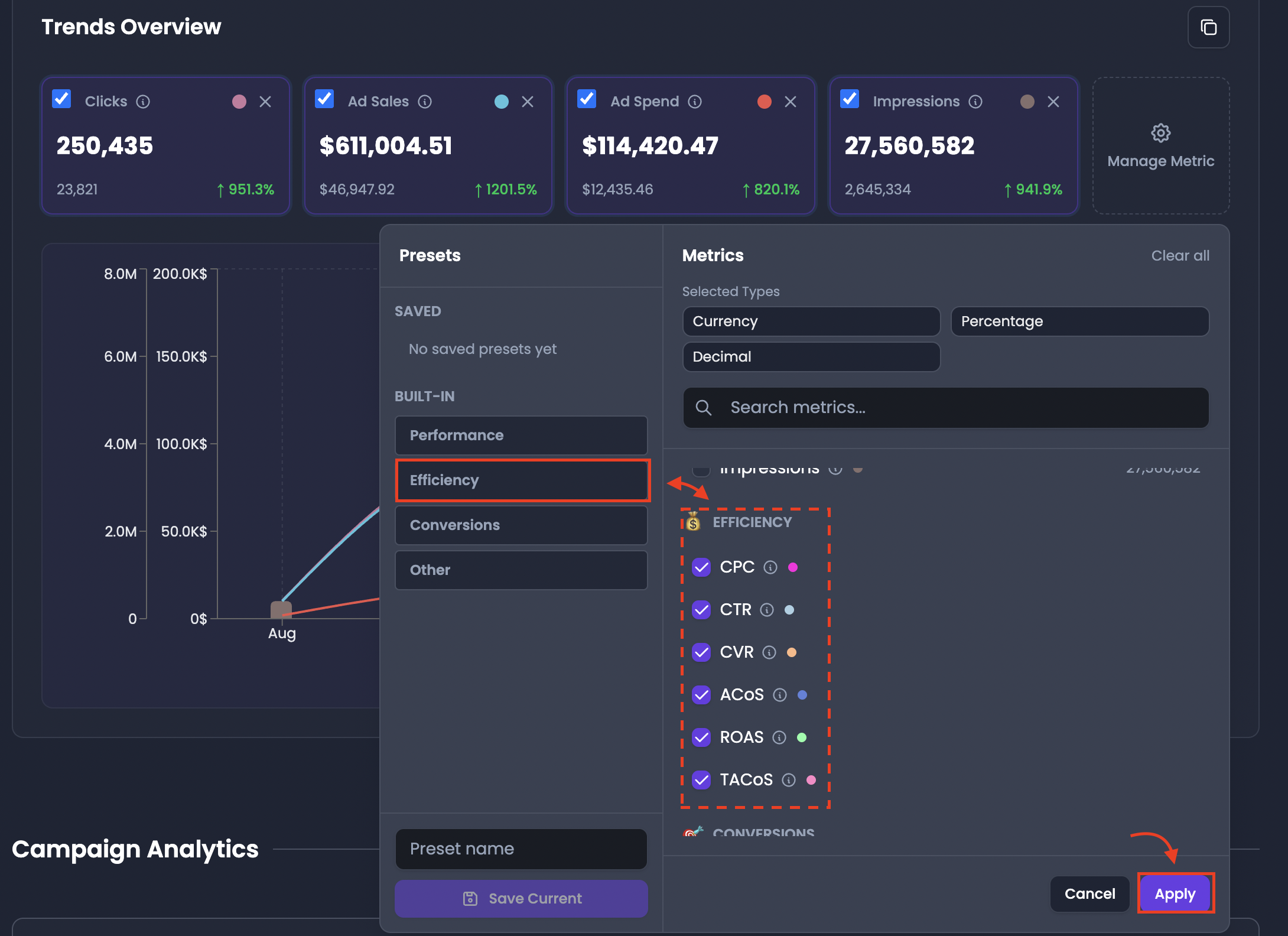
- Select metrics under Efficiency to monitor the efficiency of ad spend
- Add Performance or Conversions metrics only if you want additional context
- Click Apply to refresh Trends Overview with your selected metrics
Key Value Pillars
- Helps you select the correct category for your goal
- Keeps metric selection organized so dashboards are easier to read
- Supports repeatable monitoring by building presets around metric categories
- Improves consistency when comparing campaigns later
Pro-Insight
⚠️ For daily efficiency monitoring, start with Efficiency metrics. Then, expand into Performance and Conversions only after you identify a change you need to explain.